Features

CloudPi platform features

CloudPi features are built to help teams organize cloud spend, assign ownership, plan budgets, improve allocation without perfect tagging, analyze billing data, automate operational actions, track FinOps KPIs, enforce governance, and connect cloud operations with enterprise systems. Together they create a more structured and actionable multi-cloud FinOps workflow.

01

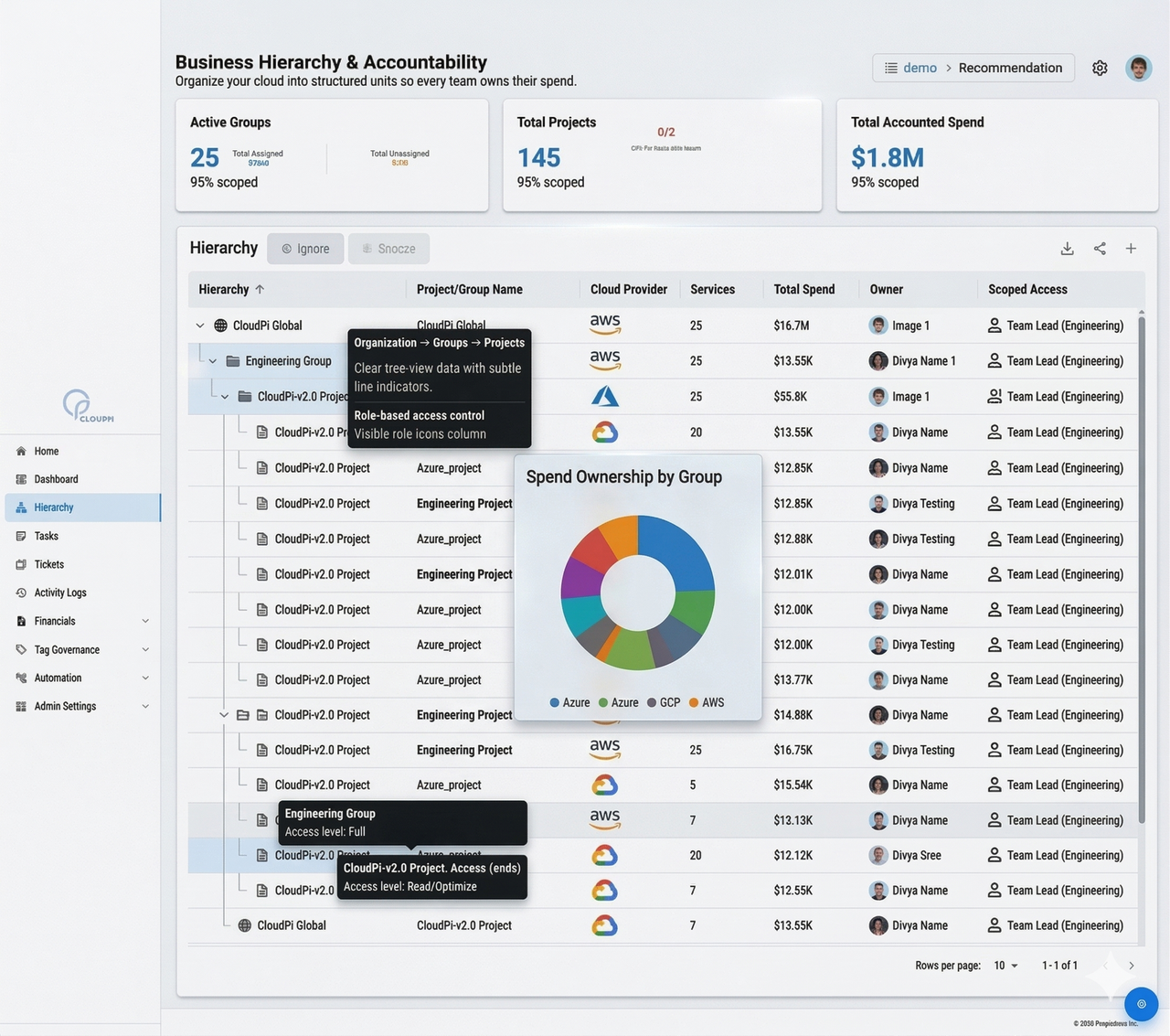
Business Hierarchy

Organize your cloud into structured units so every team owns and manages their spend.

This homepage feature is about translating cloud cost into business structure. Instead of reviewing spend only through accounts and subscriptions, CloudPi lets organizations align cloud spend to business units, portfolios, departments, and projects so reporting follows the real operating model of the company.

That structure makes accountability clearer across multiple levels. Leadership can review enterprise rollups, departments can see their own performance, and project teams can understand the cost they directly influence.

  • Organizational Cost Alignment: map spend to business units, portfolios, and cost centers in a way finance can use.
  • Multi-Level Visibility: move between enterprise, department, and project views with one consistent hierarchy.
  • Accurate Chargeback: allocate cost according to real ownership structures instead of generic billing groupings.
  • Better Financial Accountability: tie spend directly to owners and decision-makers.
  • Strategic Reporting: present cost insights in business language, not only cloud-provider language.
  • Consistent Governance: standardize roll-up of resources and spend across the organization.
Business hierarchy
02

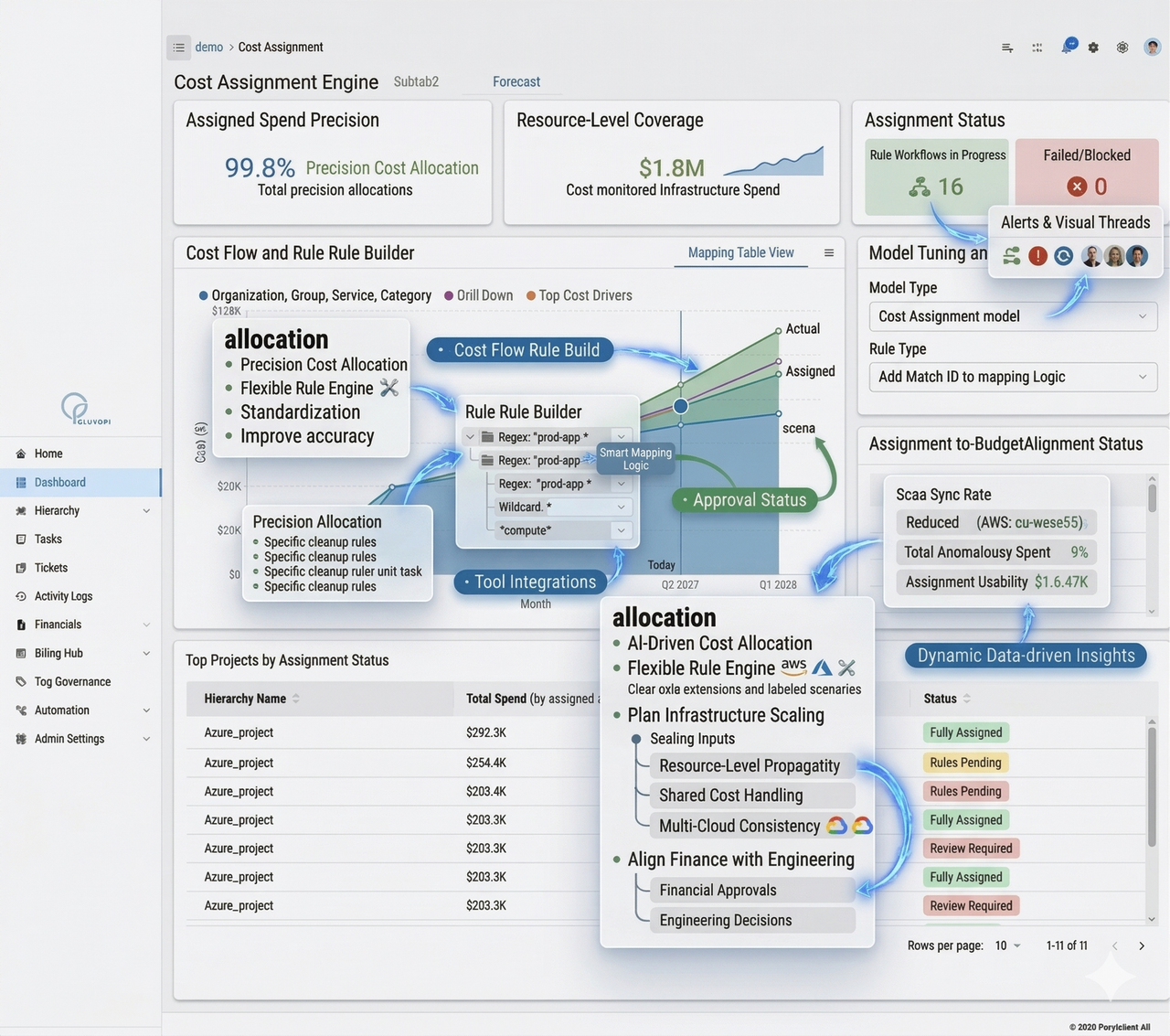
Cost Assignment

Assign every cloud dollar to the right project using rule-based mappings.

The homepage presents this as the Cost Assignment Engine, and the core idea remains the same here. CloudPi uses rule-based logic to push spend to the right projects, teams, and cost centers so users are not left with large pools of unattributed cost.

Because cloud environments contain dedicated resources, shared services, and naming inconsistencies, the assignment model has to be flexible. This feature is built to handle those real-world conditions rather than assuming a perfect environment.

  • Precision Cost Allocation: assign spend to projects, teams, or cost centers with more clarity.
  • Flexible Rule Engine: support exact match, wildcard, and regex patterns for more practical mapping.
  • Resource-Level Propagation: apply logic down to resource granularity for better consistency.
  • Shared Cost Handling: distribute common platform costs instead of leaving them outside ownership views.
  • Multi-Cloud Consistency: use a unified assignment approach across AWS, Azure, and GCP.
  • Actionable Visibility: feed assigned data directly into dashboards and budget reporting.
Cost assignment
03

Financial Planning

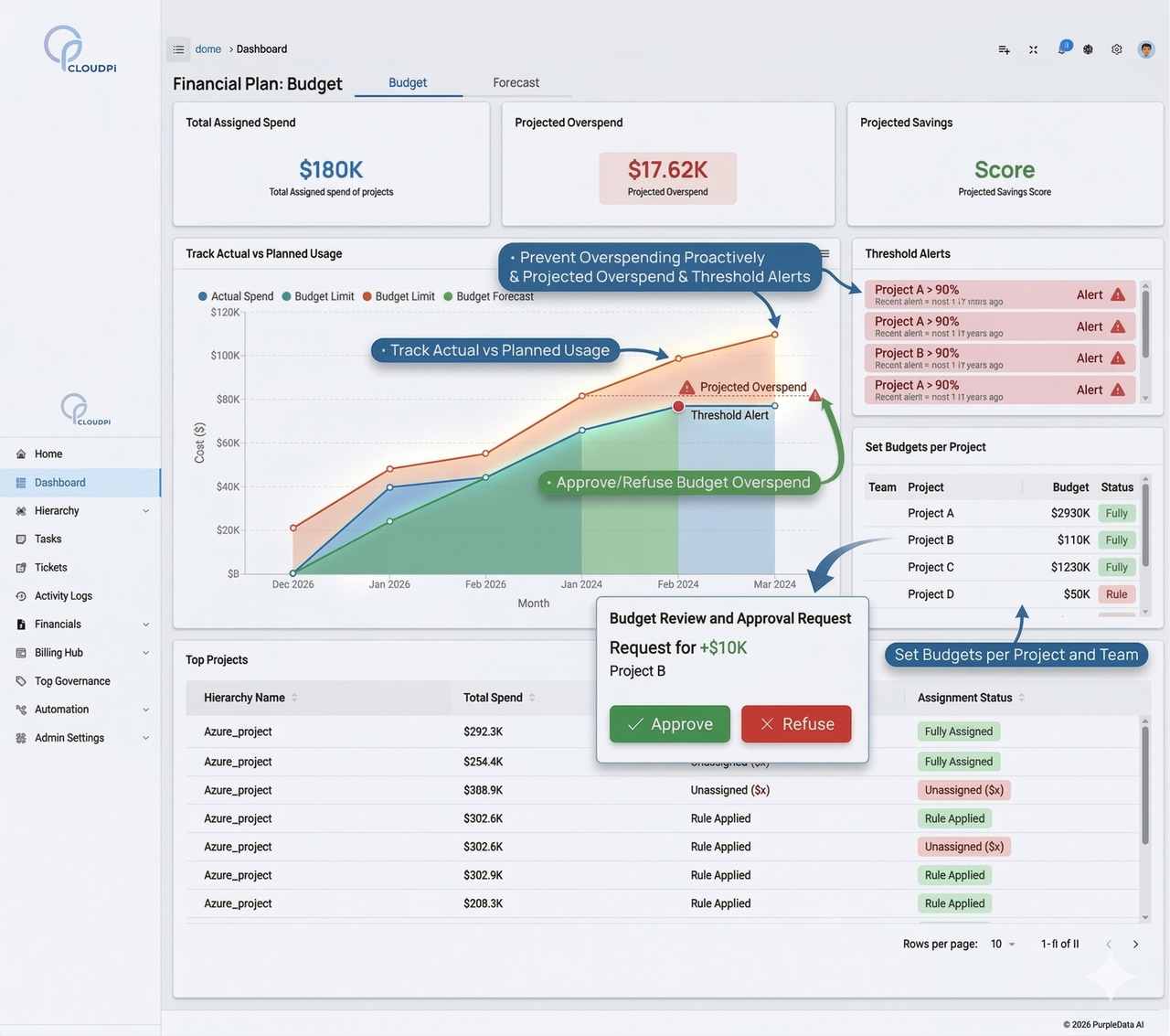
Align cloud consumption with business budgets using automated governance.

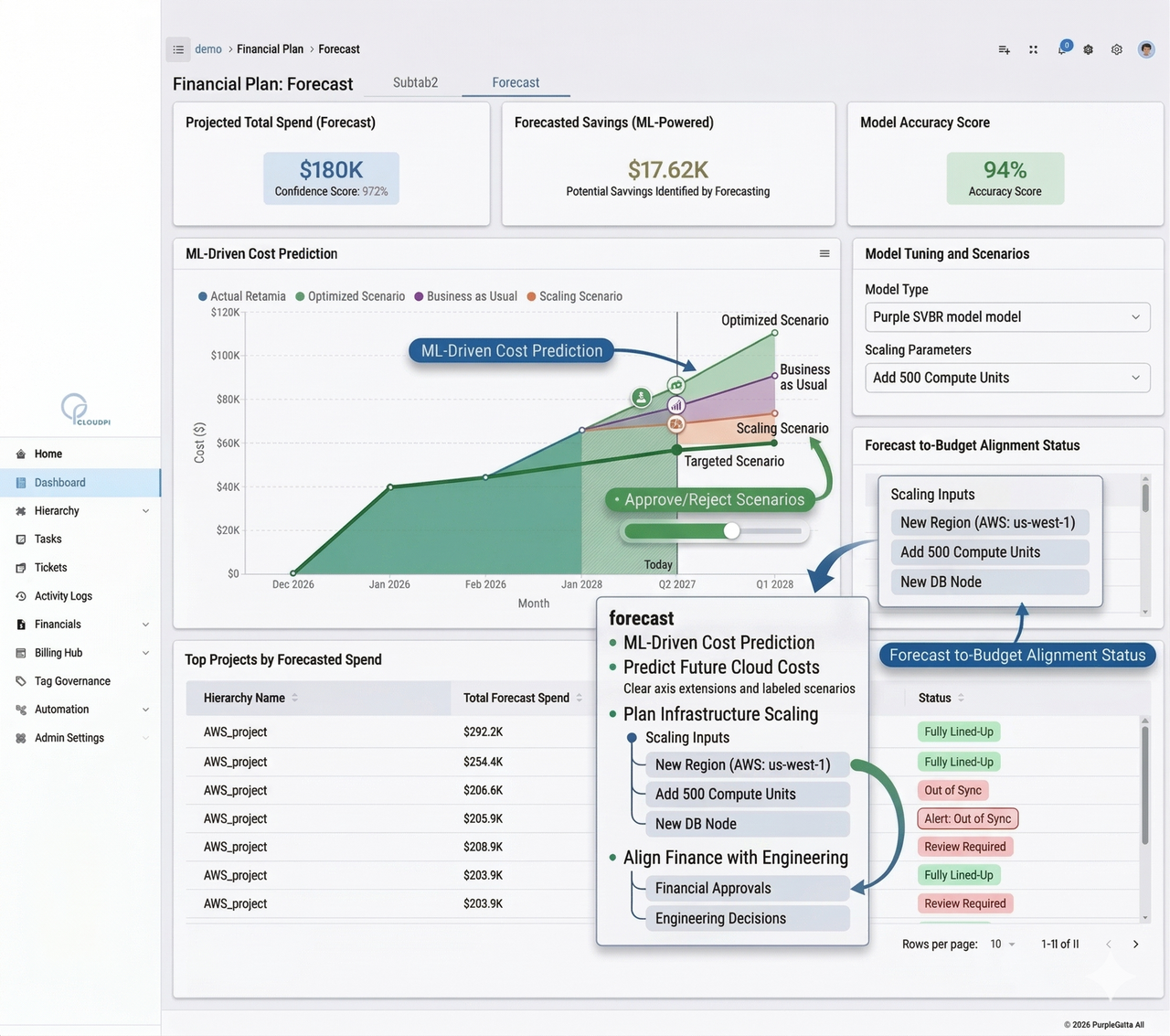
On the homepage this capability includes both Budget and Forecast, and this page keeps that same structure. The purpose is to connect cloud consumption with financial planning so teams can manage future spend, not only review past bills.

Budgets help establish control thresholds and accountability. Forecasting helps teams compare projected and actual spend so they can react to variance earlier and plan with more confidence.

Budget

  • Complete Financial Control: manage budgets and spend tracking together in one workspace.
  • Budget Governance: set and enforce thresholds across projects and business units.
  • Multi-Level Accountability: review budget performance across workspaces and project groups.
  • Proactive Alerts: use threshold notifications to prevent overspending.

Forecast

  • Forecast Accuracy: compare projected and actual spend to improve planning quality.
  • Proactive Decision Support: surface variance trends before overruns become larger problems.
  • Finance-Ready Visibility: provide clearer views for finance and leadership teams.
  • Planning Confidence: use live spend signals for quarterly and ongoing cloud planning.
Financial planning budget
Financial planning forecast
04

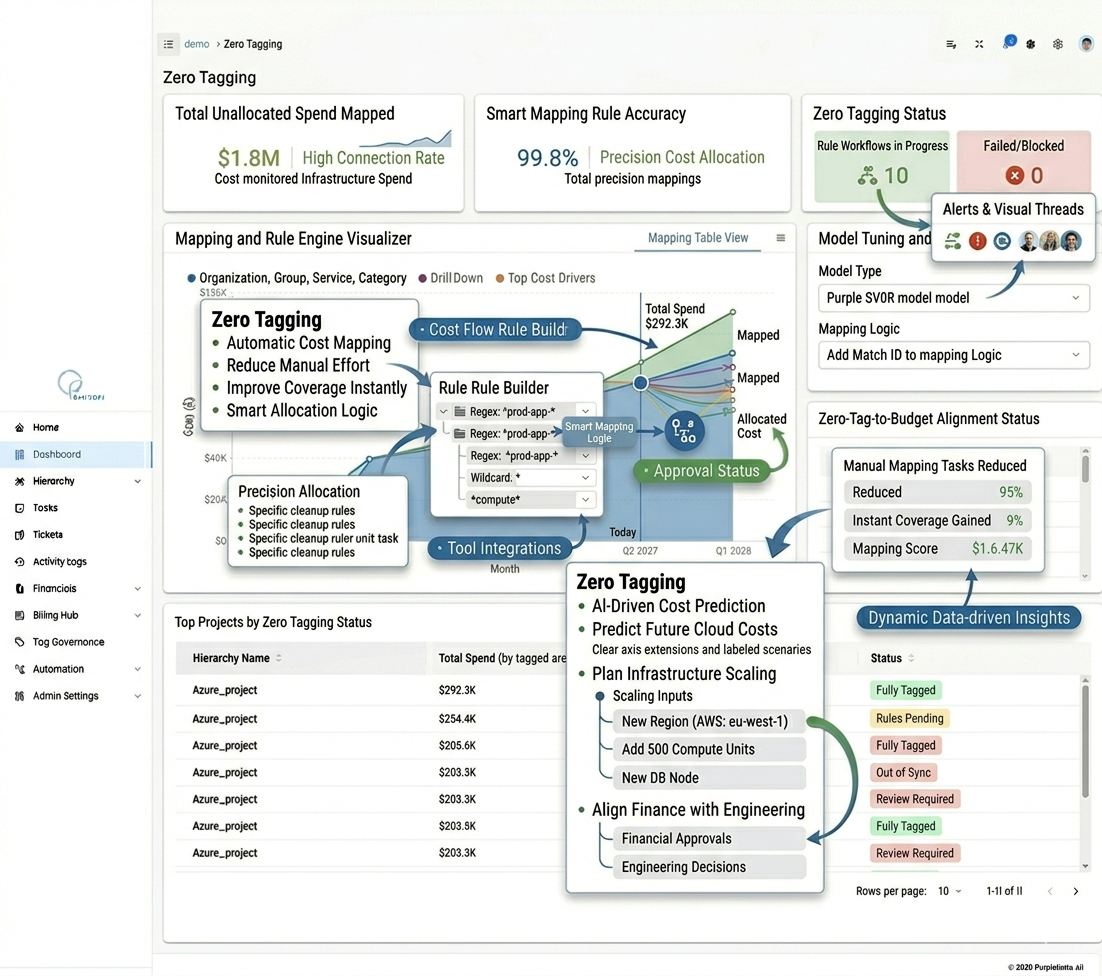
Zero Tagging

Allocate cloud costs accurately even when resource tags are missing.

This homepage feature is especially important for organizations with incomplete tag coverage. Instead of waiting for perfect tagging before starting allocation, CloudPi uses other signals to help map spend and improve visibility much earlier.

That means teams can start building accountability and cost awareness while tagging maturity is still in progress, rather than delaying FinOps progress until every resource is cleaned up.

  • Automatic Cost Mapping: map spend to projects without depending entirely on tags.
  • Virtual Tagging Logic: create rules using account, region, or naming patterns.
  • Reduced Manual Effort: avoid large retro-tagging efforts before cost visibility improves.
  • Total Spend Coverage: reduce billing black holes and improve allocation coverage faster.
  • Tag-Less Governance: enforce accountability even when resource hygiene is not perfect.
  • Smart Allocation Intelligence: use operational signals to predict likely ownership for untagged spend.
Zero tagging
05

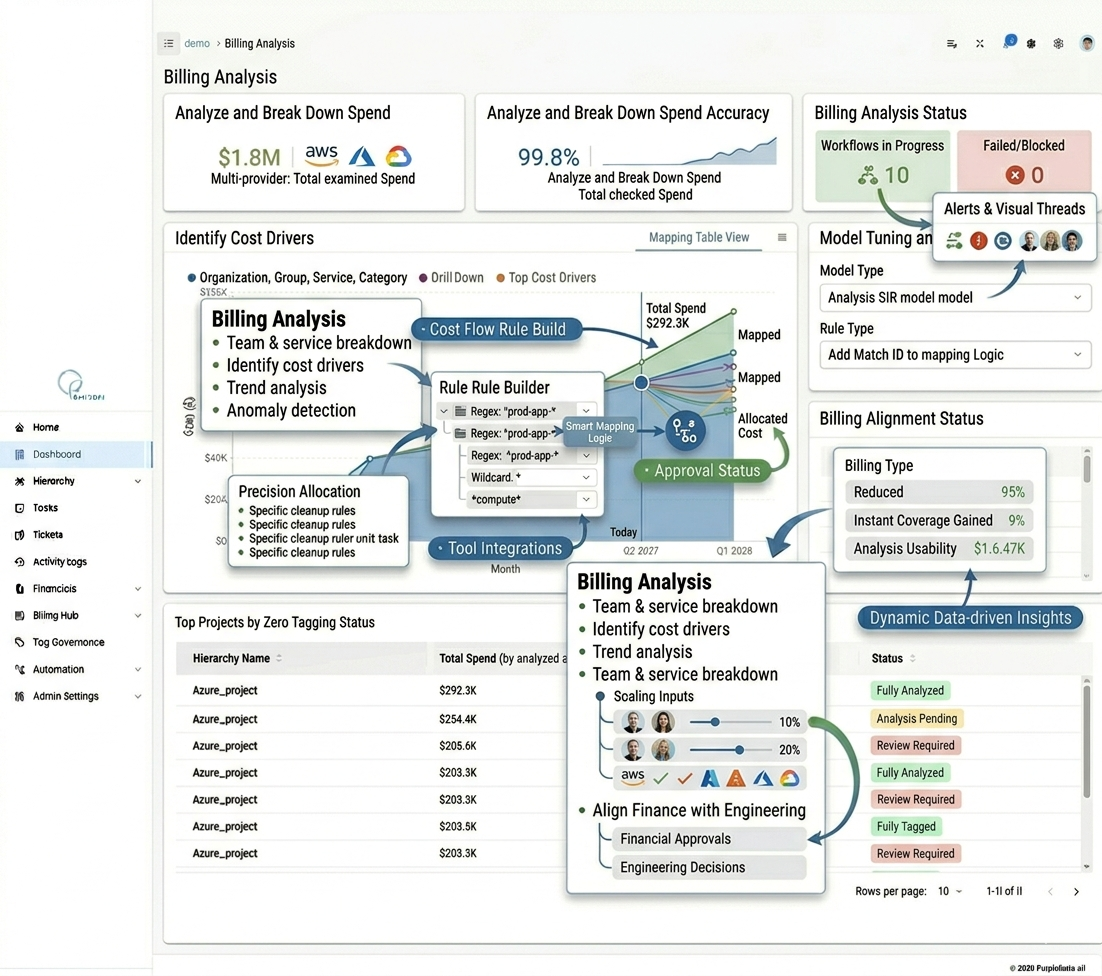
Billing Analysis

Break down cloud spend into clear, actionable insights across your entire estate.

The homepage describes Billing Analysis as unified spend visibility with deep drill-down capability. This expanded explanation stays with that same idea: CloudPi turns large billing data sets into something teams can actually inspect, compare, and act on.

When teams can slice cost by service, account, project, region, or tag, it becomes easier to understand cost movement, explain anomalies, and focus optimization efforts where they will matter most.

  • Unified Spend Visibility: analyze AWS, Azure, and GCP spend in one place.
  • Deep Cost Breakdowns: break cost down by service, account, project, region, and tags.
  • Trend Intelligence: track daily and monthly movements to catch anomalies early.
  • Interactive Filtering: use fast drill-down filters for root-cause analysis.
  • Executive-Ready Reporting: present clear views for finance and leadership without rebuilding reports.
  • Action-Oriented Analytics: prioritize cost-saving actions using clearer spend insight.
Billing analysis
06

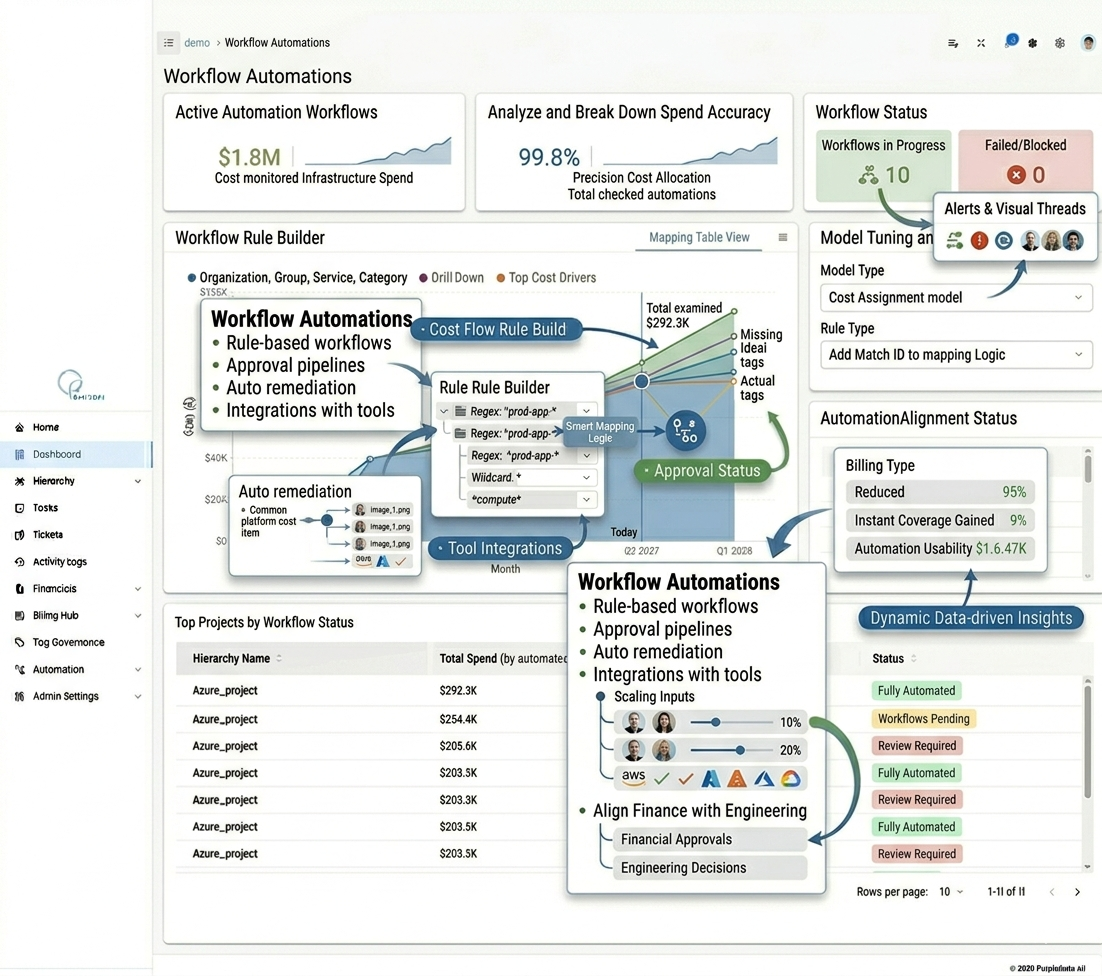
Workflow Automations

Automate optimization and governance actions with event-driven precision.

The homepage positions Workflow Automations as a way to reduce manual work and improve execution. This page expands the same idea by showing it as the operational engine that helps teams turn policies and insights into consistent action.

Instead of stopping at recommendations, teams can automate recurring tasks, trigger governance flows from events, and connect operational follow-up with external systems when needed.

  • Policy-Driven Execution: automate actions based on cost and governance policies.
  • Scheduler-Powered Operations: run recurring workflows without manual effort.
  • Event-Driven Remediation: respond faster to risk and compliance gaps.
  • Cross-System Orchestration: connect workflows with Jira and ServiceNow.
  • End-to-End Traceability: track every workflow run and outcome for audit reliability.
  • Reduced Operational Toil: remove repetitive tasks so teams can focus on higher-value work.
Workflow automations
07

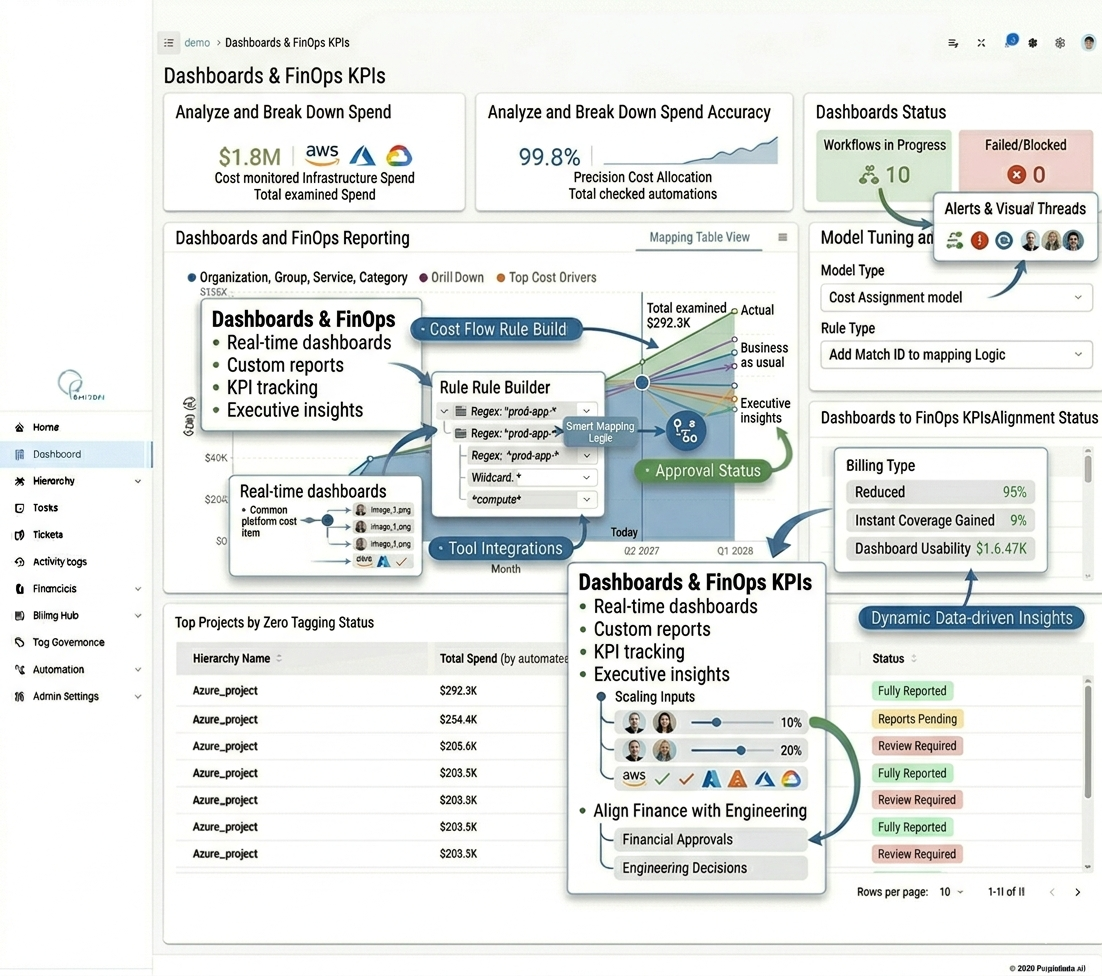
Dashboards & FinOps KPIs

Monitor real-time performance with executive-ready dashboards built around industry-standard KPIs.

The homepage lists the main KPIs this feature tracks, and this page expands those same measures into a broader explanation. The point is to give FinOps, engineering, and finance teams a common performance layer instead of disconnected reports.

By tracking visibility, allocation quality, budget performance, forecasting, savings realization, and compliance together, CloudPi helps teams measure whether their cloud financial operations are improving over time.

  • Cost Visibility Rate: track the percentage of spend mapped to owners and business units.
  • Allocation Accuracy: monitor how effectively spend is assigned with minimal unallocated cost.
  • Budget Variance: compare actual spend against budgeted levels in real time.
  • Forecast Accuracy: measure how close projected and actual spend remain over time.
  • Savings Realization: track actual savings from optimization initiatives.
  • Governance Compliance: monitor the percentage of resources meeting cost and tagging policies.
Dashboards and KPIs
08

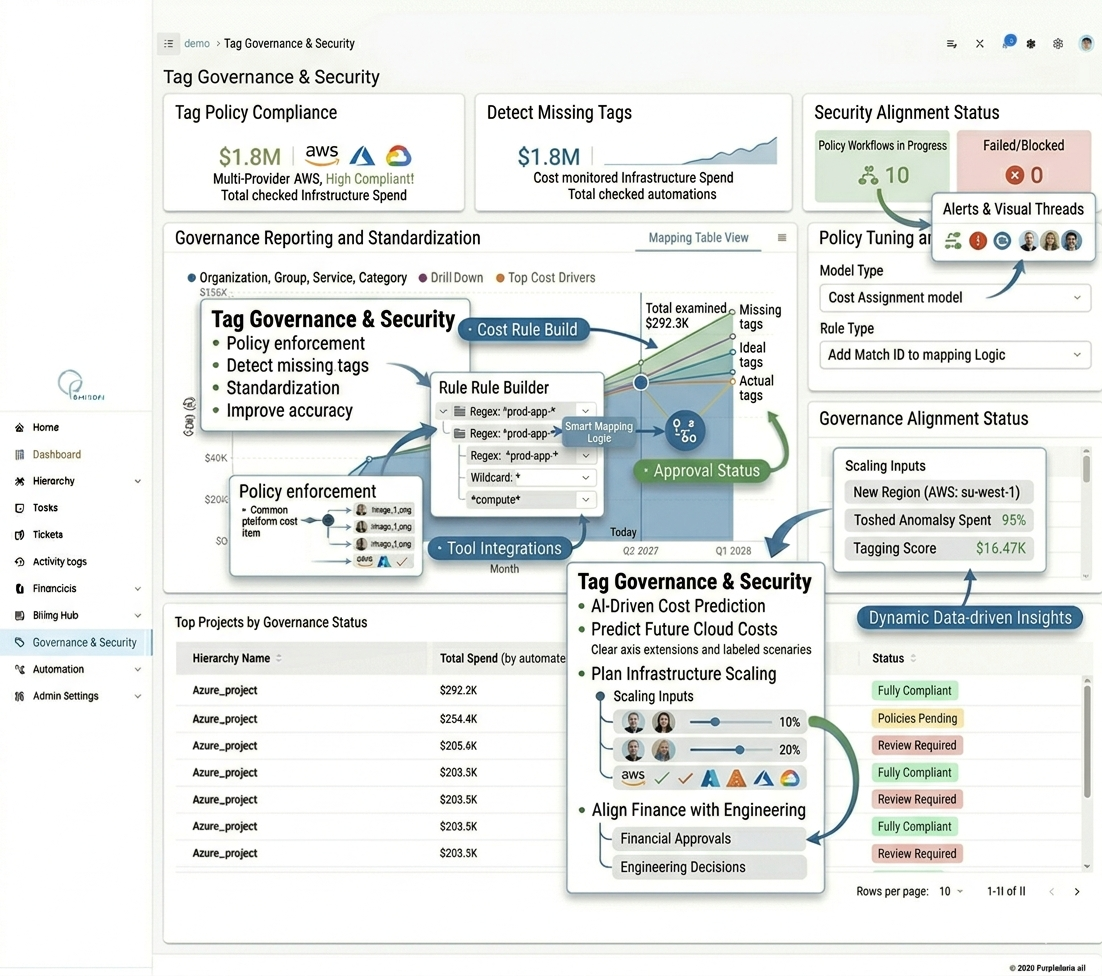
Tag Governance & Security

Maintain data integrity and platform security with automated policies and robust access controls.

The homepage combines governance and security into one capability because both are required for trustworthy cloud financial operations. This page keeps that same direction and expands it as a control layer for data quality, access, and compliance.

Strong governance improves reporting quality, while strong security ensures only the right users can update policies, settings, and scoped workspaces. Together they make the rest of the platform more dependable.

  • Policy Enforcement: detect and flag resources with missing or non-standard tags.
  • Enterprise-Grade RBAC: manage policy and platform access through centralized roles.
  • Automated Standardization: maintain naming consistency across AWS, Azure, and GCP.
  • Workspace Scoping: limit user access to the groups and projects they manage.
  • Least-Privilege Design: reduce operational risk by minimizing excess permissions.
  • Traceable Audit Trail: maintain history of tag changes and authorization events.
Governance and security
09

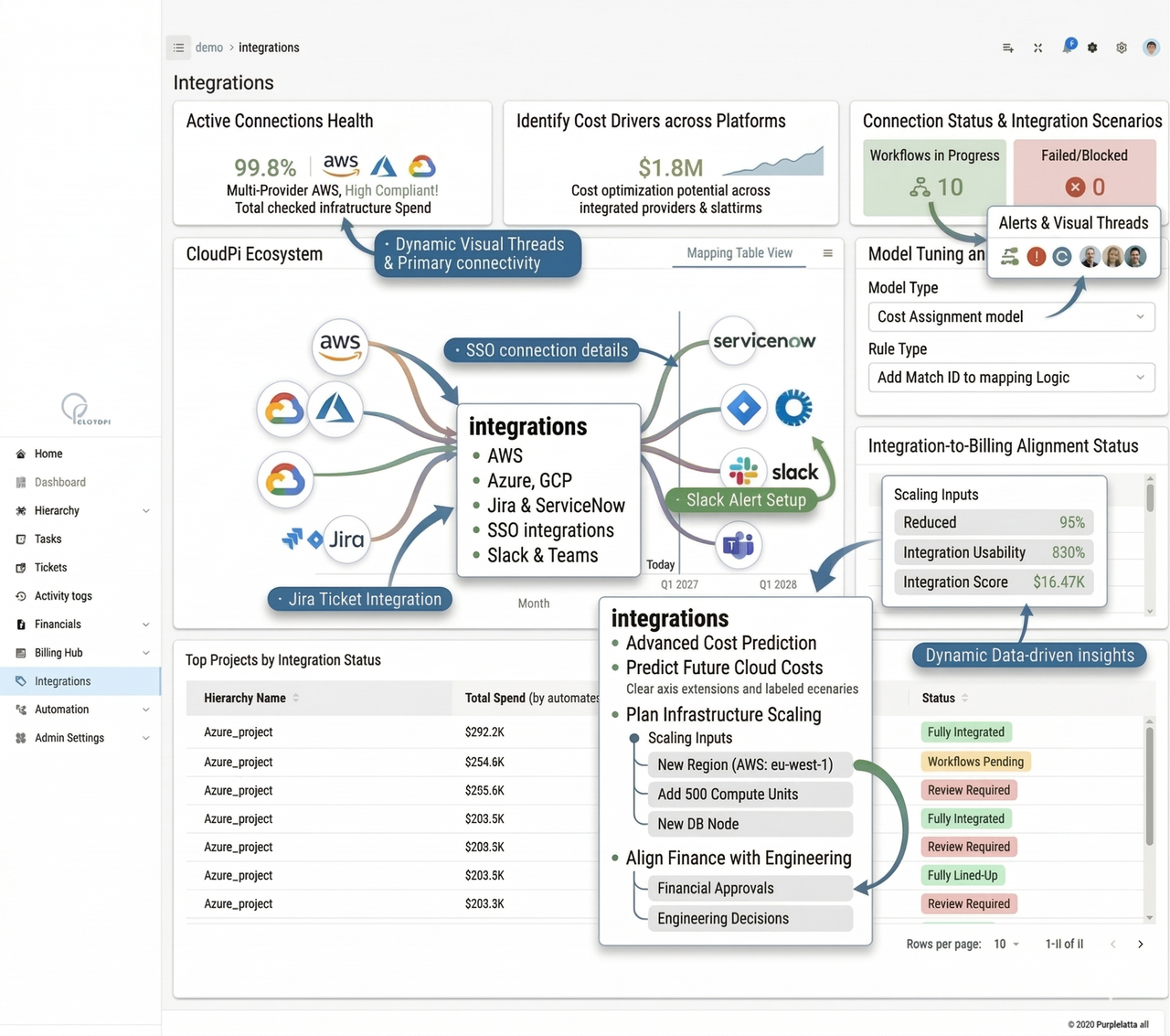
Cloud & Enterprise Integrations

Seamlessly connect your entire cloud ecosystem for unified visibility and action.

The homepage explains this feature as unified connectivity across cloud and enterprise systems. This expanded version keeps that same meaning: CloudPi becomes more operationally useful when cost analysis, workflows, alerts, and enterprise tools are connected instead of isolated.

Integrations help bring together cloud platforms, ticketing, and communication channels so the platform can support not just visibility, but coordinated action across systems.

  • Unified Connectivity: integrate AWS, Azure, GCP, ticketing, and SMTP in one place.
  • Cross-Tool Orchestration: power automation using signals across connected systems.
  • Actionable Ecosystem: turn integrated signals into reports, alerts, and follow-up actions.
  • Better Data Continuity: keep cost, governance, and operational context connected.
  • Security-Aligned Controls: manage integration access through role-based administration.
  • Reduced Tool Sprawl: replace fragmented workflows with a more consolidated integration layer.
Integrations